
Free · Private · Runs entirely on your Mac
Your Mac is hot, slow, or draining. Now it can tell you why.
Anomalous is a quiet menu-bar app that watches your Mac and, the moment something is genuinely wrong, explains it in plain language — what it is, whether it's normal, and the one safe thing to do. It stays silent the rest of the time.
Normally ~0.1% CPU; now ~150% for 41 hours.
Duet Activity Scheduler — the daemon that runs background system tasks — is wedged in a loop, heating your Mac. It's safe to stop: macOS relaunches it immediately, and worst case a background task runs a little late.
No account · Apple-checked, opens normally · Apple Silicon (M1 or newer), macOS Tahoe.
Free and open source. Nothing identifiable leaves your Mac by default. · Build from source
Not sure your Mac qualifies? The Apple menu → About This Mac shows your chip and macOS version.
Anomalous in 15 seconds
Anomalous is new — but the person building it isn't. Made in the open by Michael Sitarzewski, whose open-source tools already run on a lot of Macs:
And Anomalous itself is open source — read every line.
It stays quiet — until it doesn't.
No dashboard to check. No red badges. No “issues found” counter inventing problems to sell you a fix. Most of the time Anomalous shows nothing at all — because nothing is wrong. Silence is the default, and the point. When it does speak up, it's because something on your Mac genuinely needs your attention.
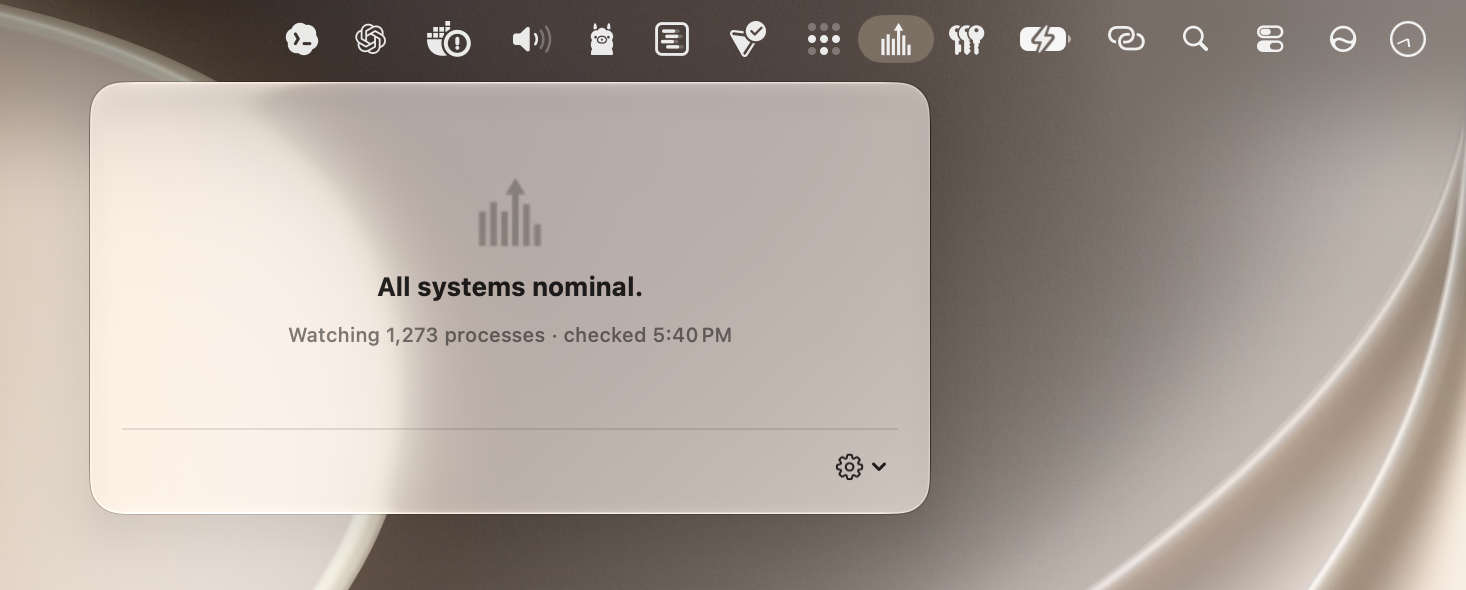

Your Mac, finally explaining itself.
Anomalous answers the three questions macOS never could — quietly, and on your machine.
Is this normal?
It learns what normal looks like for your Mac — your apps, your habits — so a flag means “unusual for you,” not some arbitrary line.
What even is this?
It resolves an unfamiliar process name into something you can reason about, instead of leaving you to guess what mysqld is.
Now what?
It hands you the one action it’s confident is safe — or none at all. It never suggests something destructive on a hunch.
Give it a few days. Anomalous spends its first while quietly learning your Mac's normal rhythm — which is exactly what lets it judge what's unusual for you, instead of measuring you against some generic threshold. The longer it watches, the sharper it gets.
No account · Apple-checked, opens normally · Apple Silicon (M1 or newer), macOS Tahoe.
Everyone else shows you data. Anomalous gives you the answer.
Great Mac tools measure your machine beautifully. Not one of them tells you what's actually wrong or what to safely do about it.
| What you actually get | Anomalous | Activity Monitor | iStat Menus | Stats | CleanMyMac | Menu-bar monitors |
|---|---|---|---|---|---|---|
| Tells you what is actually wrong | Yes | No | No | No | Partial | No |
| Knows what is normal for your Mac | Yes | No | No | No | No | No |
| Learns your Mac and gets sharper over time | Yes | No | No | No | No | No |
| Explains it in plain English | Yes | No | No | No | Partial | No |
| Names unfamiliar processes | Yes | No | No | No | No | No |
| Tells you the one safe thing to do | Yes | No | No | No | Partial | No |
| Stays silent until it matters | Yes | No | Partial | No | No | No |
| On-device Apple Intelligence | Yes | No | No | No | No | No |
| Nothing identifiable leaves your Mac | Yes | Yes | Yes | Yes | No | Yes |
| Open source | Yes | No | No | Yes | No | Partial |
| Free | Yes | Yes | No | Yes | No | Partial |
Comparison reflects each product's core, publicly documented functionality as of July 2026 and is not exhaustive. “Partial” indicates a related but narrower capability, and Yes/No/Partial describe default, out-of-the-box behavior. Anomalous entries are grounded in its open-source code. Product names are trademarks of their respective owners; no affiliation or endorsement is implied.
It only ever tells you what's safe.
Anomalous doesn't just spot a problem — it hands you the single safe action, or none at all. And there's a firm line under the hood: its own detector is what decides something is wrong. Apple Intelligence never makes that call. Its only job is to explain the facts in plain words, fenced by the real numbers — so it can't invent a scare, and it won't tell you to quit something you shouldn't.
A confident wrong button is worse than no button. When Anomalous isn't sure, it says so. How safe actions work →
The intelligence is built into your Mac.
Anomalous can explain your Mac in plain language — privately — because the intelligence runs on the Mac itself. It uses Apple's on-device Foundation Models, the same Apple Intelligence built into macOS 26, to turn a cold technical signature into a sentence a person can read. On Apple Silicon, on your machine: it works offline, costs nothing, and needs no account.
For the rare hard case, an optional deep-research pass can dig further on request — it never runs on its own, and nothing leaves your Mac unless you ask for it.
Why it exists
The fans were running. Activity Monitor showed mysqld and dasd at the top — but not why. It took a 30-minute manual debugging session to find what the Mac had silently tolerated for two days: a scheduler daemon wedged in a loop, burning roughly 25 CPU-hours and up to 60 GB of memory, plus a few background workers hammering the database hundreds of times a second. Every runaway had a detectable signature for days. Nothing surfaced it. Anomalous is that missing layer — the context, watching for you.
Private by design, not by promise.
Almost everything Anomalous learns about your Mac never leaves your Mac. Detection, the explanations, the actions, the baselines it builds — all of it stays on your machine. There's no account to create and nothing to sign in to.
It's open source, so anyone can read exactly what it collects and what, if anything, it sends. And whenever anything does leave — an anonymous contribution to the shared corpus, or the paid help you ask for — Anomalous writes down every byte in a local send log you can open and read yourself. Not a promise you have to trust. A record you can check.
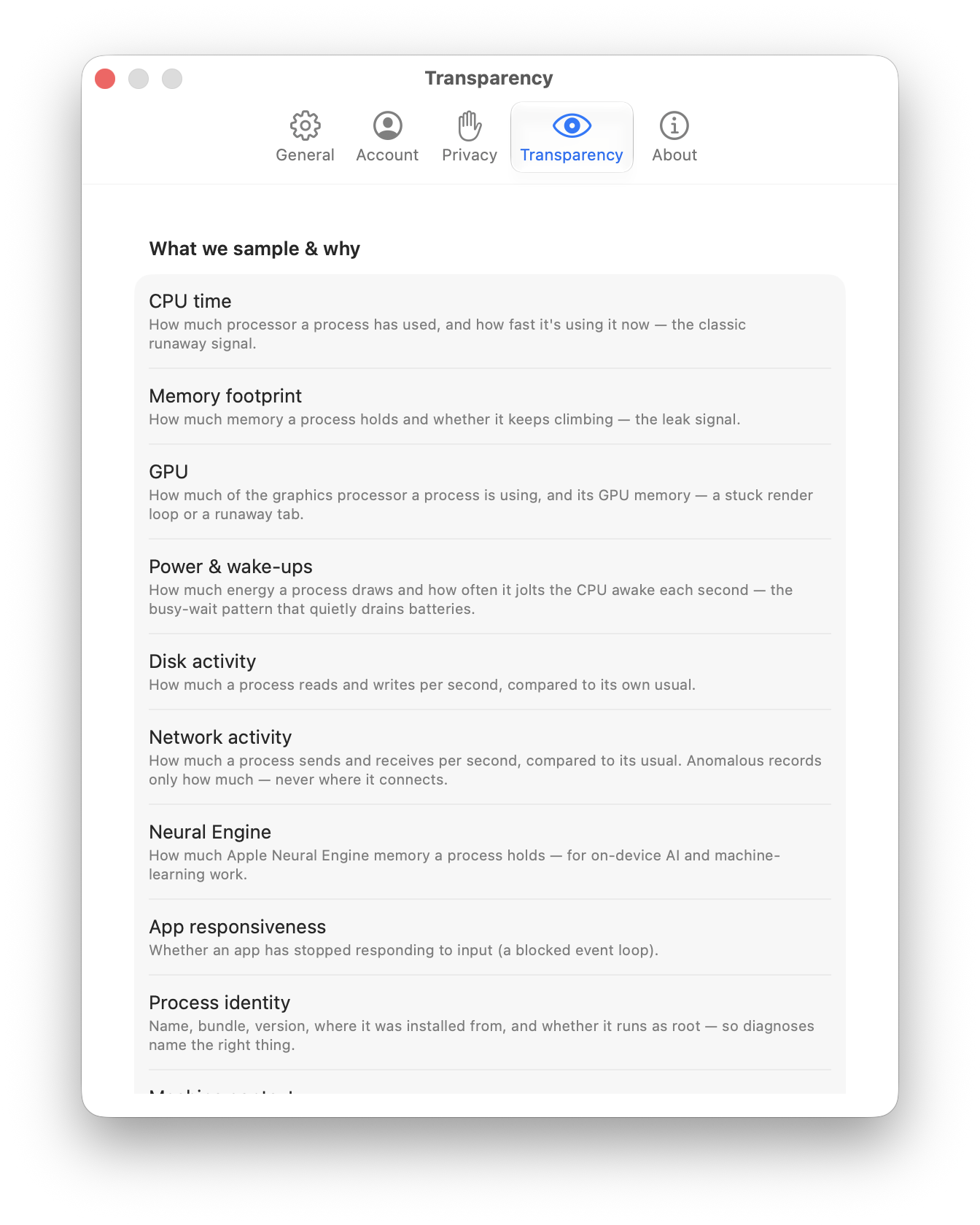
No account · Apple-checked, opens normally · Apple Silicon (M1 or newer), macOS Tahoe. · Read the privacy details →
Questions people ask first
Will it slow down my Mac?
No. Anomalous is a tiny (~3 MB) menu-bar app that samples quietly in the background and shows nothing while your Mac is behaving. It’s built to stay out of the way, not to scan constantly.
Is it really free? Is there a catch?
The app is free and open source. Detection, baselines, and the plain-language explanations never cost anything. Optional expert cloud help exists if you ever want a second opinion, but it’s never required and never automatic.
Do I need to create an account?
No. The free app needs no account and no sign-in. An account only comes into play if you choose to use the paid cloud help.
Is it safe? Will macOS warn me?
It’s signed and notarized through Apple’s process, so it opens like any trusted app — no “unidentified developer” warning.
Does my data leave my Mac?
Detection and judgment run entirely on-device, and nothing identifiable leaves your Mac by default. Because the sensor is open source, you can read exactly what it does — and every transmission is written to a local send log you can inspect.
What do I need to run it?
macOS 26 (Tahoe) or later, on an Apple Silicon Mac.
More in the help & documentation →
Install it once and forget it — until the day you're glad it's there.
Free, private, and quiet by default. Your Mac finally has the context to explain itself.
No account · Apple-checked, opens normally · Apple Silicon (M1 or newer), macOS Tahoe.
New to installing apps? Three quick steps →